


Desktop Explorer Review - Blue Screen of Death

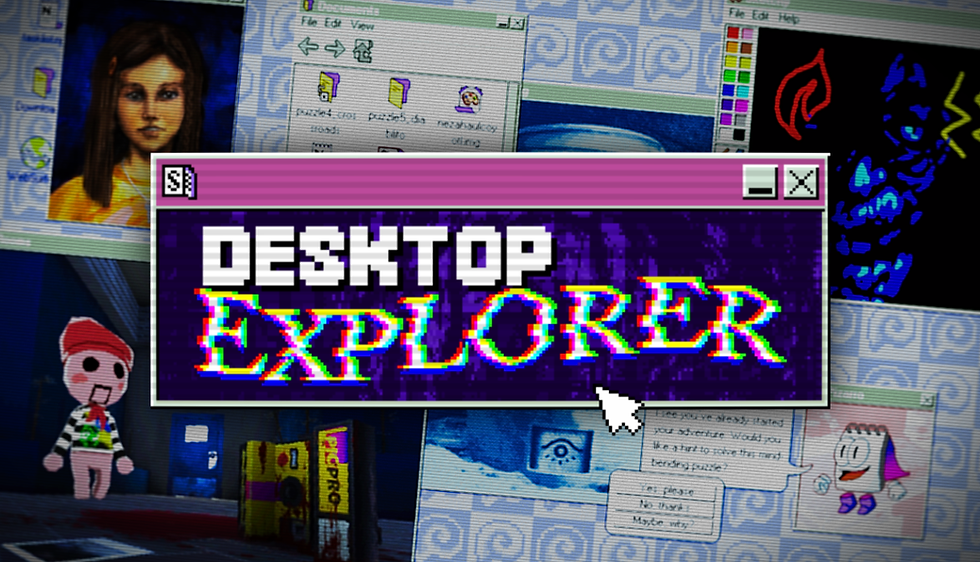
Unfortunately, I am a baby, a baby who was born after the millennium, and I feel like all the retro video game experiences everyone talks about and cries about are lost on me because I never got to experience them. I was able to tune in to the Wii era and only just made it to the PS2 era thanks to my dad, but overall, I don't have the nostalgia of the industry in its early days. No crunchy-ass graphics, no memory cards, no cassette tapes (what the hell), and certainly no 90s PC. Now that's mostly due to the fact my parents never had a computer while I was growing up. Being from a working-class background, we didn't buy a computer until the early 2010s, and even then, it was for work only; absolutely no games were allowed. Not even Club Penguin, damn it. So, I lost out on that experience. It's weird to say that I still have a sense of nostalgia for how the industry looked in the 90s, but I never personally experienced it. That's why when I saw Desktop Explorer, I was enticed by its aesthetic and the unique way of puzzle solving using a computer interface I had never really had much experience with. So, did I love it or hate it? Or did I just not get it? Let's find out.
Desktop Explorer blends puzzles with outdated software and cryptic files that you must sift through and even modify to find out what is actually going on in this weirdly sentient computer. It has been left behind by your uncle, who has recently passed away, and is full of notes and information that he left behind for you to look through. The computer also comes with an odd software called "Desktop Explorer," which houses different adventure-style quests where you must work through to piece together what the computer is trying to tell you or hide from you.
Desktop Explorer plays out in adventure quest-style levels that you must work your way through. You will venture to different locations, such as a cave or temple, where you are given a folder with certain files, like documents and images. You must search through them and solve embedded puzzles to find the all-important 'password.' This password will then unlock the next folder for you to dive into. Usually, puzzles follow the same format: you read a block of text that acts as an adventure narrator—think of those adventure books from your childhood where solutions would take you to certain pages—and then you must sift through documents and images to piece together the puzzle. The game does a good job of slowly introducing you to its computer interface-style puzzling, which requires the player to modify files, peer at source code, or use certain filters to find hidden information. At first, it was very overwhelming if you aren't used to this kind of thing. For example, when it asked me to ‘rename’ a file, I thought that was all I could do. Instead, it wanted me to change the file itself, from a document to an image. All of these mechanics felt extremely clever, and the eureka moments I achieved in this game were some of the most well-earned ones I have had in a puzzle game, but it also meant I found a lot of them to also be quite frustrating. This wasn't helped by the fact that there is no reliable hint system.

At first, I thought the computer avatar, Pizarro, was my hint system. You can pull him up by clicking on the lightbulb option in the button to the right of your game. However, he acted more as a general tip tool guide, who just reminded you of core gameplay mechanics rather than specific hints for a particular puzzle. It was fine to have a reminder of some mechanics that I may not have used in a while, but my problem lies with the fact that there is no bona fide hint button to click if you are well and truly stuck. I found that their form of a hint system was instead placed inside the source code, which was fine enough and helped me with a few puzzles, as it often pointed me in the right direction. But for some stages of a puzzle, there would just be no hints at all, so my frustration would build and I'd rage quit. With a game as intellectually demanding as this, as you are constantly juggling mechanics, it would have been nice to have more help if the player wanted it. It's always better to have more help than less, as you can't assume a player’s way of thinking and capabilities.
The adventure-style puzzles I embarked on were really fun overall and involved a lot of brainpower to think about. I even had my pad and paper out so I could remember certain pieces of information that I knew would be important later. I've only touched the surface with how much variety in puzzles there is in Desktop Explorer, as when you log into the game, there are three users to choose from. Your uncle’s profile, Halibut, is not password-locked, but the Maximus one is locked behind a series of personal questions so you can recover your password. Those answers had been drip-fed to me throughout playing the Halibut profile, so I'm excited to see what else is on offer.
The story found within Desktop Explorer is a tragic one and adds to an impending sense of horror that maybe what you are uncovering isn't something someone wants you to find out about. You play as Max, a young woman who seems to have recently lost her uncle to an illness. He has left behind a computer that is full of his thoughts, random notes, and information about what he was hiding and how he coped with a sickness that was slowly eating away at his memory. The game gradually fills you in about who you are and who your family was through diary logs and forums online, including an accident that changed the course of your family’s life, leaving a trail of regrets that may be coming back to haunt you.

The story is told through diary logs, but I also feel like something is being told through its quests. I'm yet to figure out what the symbolism of it all is, though. The game does a good job of letting you explore the computer interface to get more details about the story, from documents to online newspapers, which is a nice touch to add an investigative feel to the game. I also found that some of the puzzles reference this hidden information, so I definitely advise having a look around. Unfortunately, the dialogue itself in the game feels quite robotic, and its sentences never really flow into each other. I also felt like the logs were a bit too basic. If that makes sense. It's very deliberate in how it tells you things, and I felt like for the mystery’s sake it could have done with some more nuance. Instead, after one or two logs I knew exactly what was going on and what the mystery would be. Unless I'm wrong. The game is quite long, so more developments in the mystery could still be yet to be unveiled to me.
One of my favorite aspects of Desktop Explorer is the music. For each level you navigate and dungeon you enter, there will be a different track that plays in the background. I feel like this was a very important thing to get right, as looping music would only make the game feel stagnant, like you are truly stuck in a computer. Instead, the Cave and the Temple each have their unique set of tracks that really transport you to those locations. It felt like I was trawling the corridors of Anubis’s path. All of the music also sounds like it was put through the grainy filter of 90s software, which added to its charm. It felt almost Backrooms-Esque, with how unsettling, creepy, and ancient it sounded.
I also found the sound design to sound very authentic. You can feel the hot air on your face as you boot up the computer and hear the loose, tinny noise of tapping the keys as you type in a password. It felt like computer inception as the fake computer interface felt real with every sound design choice echoing what it would have sounded like back in the 90s—not that I was alive then, but I can imagine it instead. You can tell the devs put a lot of thought and work into what they wanted their game to sound like.
Like its sound, Desktop Explorer also does a stellar job with its visuals and understands the aesthetics and functionality of a 90s computer interface. The game has a CRT filter applied over it so you can almost feel the buzz of the static on the screen, and every tab you open feels so blocky. The way the game uses color is also very reminiscent of the Windows era of the 90s, with an emphasis on flat, utilitarian colors that speak more to practicality than design in its tabs and menus; a mix of deep, moody-colored accents to make its interface pop; and its images colored in a subdued palette. This style feels lost to the modern era with its sharp choice of colors, forgoing the retro style of the 90s. The only part that took me out of the experience was the images of its characters. They are hand-drawn and they look fine, but they sort of look out of place in the game's aesthetic. I think using real-life people or more of a grainy camcorder-style filter would have made it look a lot better, but that's a personal choice.

Desktop Explorer is bathed in the crunchy, blurry goodness of 90s CRT, and if it begins to hurt your eyes, then the game presents you with a bunch of options to make your experience less eye-boggling. You can just turn it all off, which I personally think takes away from the atmosphere the game creates through its aesthetics, but I can also see the grain becoming a bit of an eyesore. You even turn off specific parts of the CRT filter, like the screen curvature and the film grain, which makes subtle changes that may be less of an eyesore. The only other option you can play around with is the screensaver that pops up if you leave your game running without playing it. This was a neat and surprising touch when I came back from making a cuppa to see a screensaver reminiscent of the DVD logo that bounced around the screen.
I also never experienced any performance issues in my time playing Desktop Explorer. However, I will note that this may be a game that is best played with mouse and keyboard as you need to be quite specific with your mouse movement and I can imagine this would be quite frustrating with a controller, hell it may be the perfect game to come to Switch 2 with its unique mouse-joycon controls, but there isn't any word of a console release just yet.
Desktop Explorer is an intuitive and unique puzzle experience that I know a lot of people are going to gobble up. Its puzzles are so integrated within the computer’s systems and interface that at first it can be a bit overwhelming, especially if you’ve touched one of these ancient things or just don't use computers in general. It took me a while to train my brain to think about how I could alter a source code or change the format of a file because I'm not tech-savvy that way. But once you do get into the swing of things, Desktop Explorer feels incredibly dynamic and rewarding when you solve its many puzzles. My only major gripe is that the game doesn’t have a reliable hint system for those who are truly struggling. Having a ‘helping’ mascot that ran out of tips after 10 clicks wasn't ideal, and I feel like it's always better to have more hints available than fewer for baby gamers like myself. I also feel like the story could have done with some stronger writing, as it didn't help in fully capturing the horror the game was trying to create; it just felt a tad cheesy. Overall, Desktop Explorer earns itself the solid Bronze Genie Lamp for its uniqueness and creativity but just falls short of being something spectacular.

Pros
Commitment to the aesthetic and functionality of 90s computers
The puzzles are intuitive and are constantly testing your memory and skills
Utilizes every aspect of a PC interface to create its puzzles
Transports you to its in-game locations through its music
Cons
Lack of a reliable hint system - some puzzles straight up have no hints
Story is okay
Not really that scary
Who’s it for
Computer geeks who know their way around a computer and also like puzzles
Puzzle game lovers looking for something different and challenging
Comments